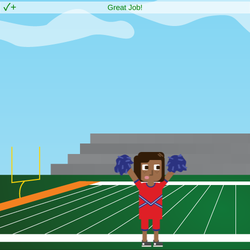
stage.set_background("footballfield2")
sprite = codesters.Sprite("cheerleader1")
sprite.move_down(150)
sprite.flip_up_down()
sprite.move_right(200)
sprite.move_left(150)
sprite.flip_up_down()
stage.wait(2)
sprite.move_up(50)
sprite.turn_left(360)
sprite.move_down(50)
stage.wait(2)
sprite.flip_right_left()
stage.wait(1)
sprite.flip_right_left()
stage.wait(1)
t = codesters.Teacher()
try:
param = t.find_function('flip_right_left')
tval1 = len(param)
except:
tval1 = "DNE"
try:
param2 = t.get_parameters_for_function('wait')
tval2 = param2[4]
except:
tval2 = "DNE"
try:
param3 = t.get_parameters_for_function('wait')
tval3 = param3[5]
except:
tval3 = "DNE"
# print param
#print tval2
#print tval3
#print param3
t1 = TestObjective()
t1.add_success(tval1 == 4, "Great Job!")
t1.add_failure(tval1 == 2, "Did you add two more flip commands?")
t1.add_creative(tval1 > 4, "That's a lot of flips!")
t1.add_failure(tval1 == "DNE", "Did you delete the sprite?")
t2 = TestObjective()
t2.add_success('1' in tval2, "Great job!")
t2.add_failure(tval2 == "DNE", "Did you add two more Wait commands?")
t2.add_failure('2' in tval2, "Did you change the number in your first Wait command?")
t3 = TestObjective()
t3.add_success('1' in tval3, "Great job!")
t3.add_failure(tval3 == "DNE", "Did you add two more Flip commands?")
t3.add_failure('2' in tval3, "Did you change the number in your second Wait command?")
tester = TestManager()
tester.add_test_list([t1, t2, t3])
tester.run_tests()
tester.display_first_feedback()
-
Run Code
-
Activity Submitted!
提交作品
-
下个活动
-
Stop Running Code
-
Show Chart
-
Show Console
-
Reset Code Editor
-
Codesters How To (opens in a new tab)